
How to Get a Free iPhone
If you’re looking for a free government iPhone, it helps to first understand how the process really operates. The U.S. government does not directly give away iPhones, but eligible low-income households can receive free phone service and, in some cases, a free iPhone through approved providers like FreeTalk Wireless under the Lifeline program.
This complete guide explains everything: eligibility, benefits, available iPhones, and how to apply step-by-step through FreeTalk Wireless.
What Is the Lifeline Program?
The Lifeline program is a U.S. government-supported initiative, overseen by the FCC, designed to help low-income households stay connected. It lowers the cost of phone or internet service each month, and participating providers often apply this support to deliver free plans and, in some cases, complimentary devices.
Key Lifeline Benefits:
- Up to $9.25/month discount on phone or internet service
- Up to $34.25/month for Tribal lands
- Available in all U.S. states and territories
- Supports mobile plans with talk, text, and data

👉 Important: Lifeline itself funds the service, while providers like FreeTalk Wireless may include free smartphones (including iPhones) as part of promotional offers.
Can You Really Get a Free iPhone?
Yes — but only if certain eligibility requirements are met.
You may be eligible for a free or reduced-cost iPhone when:
- You become eligible for the Lifeline program
- You apply through an approved provider like FreeTalk Wireless
- An iPhone is available in your ZIP code and inventory
Many providers use the Lifeline subsidy to offer:
- Free smartphones
- Discounted 5G iPhones
- Free monthly service plans
👉 Device availability depends on location, stock, and promotions — not everyone will receive the same model.
Why Choose FreeTalk Wireless?
FreeTalk Wireless is a participating Lifeline provider in the United States, offering eligible users access to:
FreeTalk Wireless Benefits:
- Free monthly talk, text, and data
- Access to free or discounted iPhones
- No contracts or credit checks
- Free SIM card or eSIM support
- Fast online application process
- Free shipping on approved devices
Because FreeTalk Wireless participates in Lifeline, it follows all FCC rules, including eligibility verification and service standards.
Who Qualifies for a Free iPhone?
You can qualify for Lifeline in two main ways:
1. Income-Based Eligibility
Your household income must be at or below:
- 135% of the Federal Poverty Guidelines
2. Program-Based Eligibility
You qualify if you participate in programs such as:
- Medicaid
- SNAP (Food Stamps)
- SSI (Supplemental Security Income)
- Federal Public Housing (Section 8)
- Veterans Pension or Survivors Benefits
- Tribal assistance programs
Important Rules:
- Only one Lifeline benefit per household
- Eligibility must be confirmed through the National Verifier system before you can enroll.
- You may need to upload documents if automatic verification fails
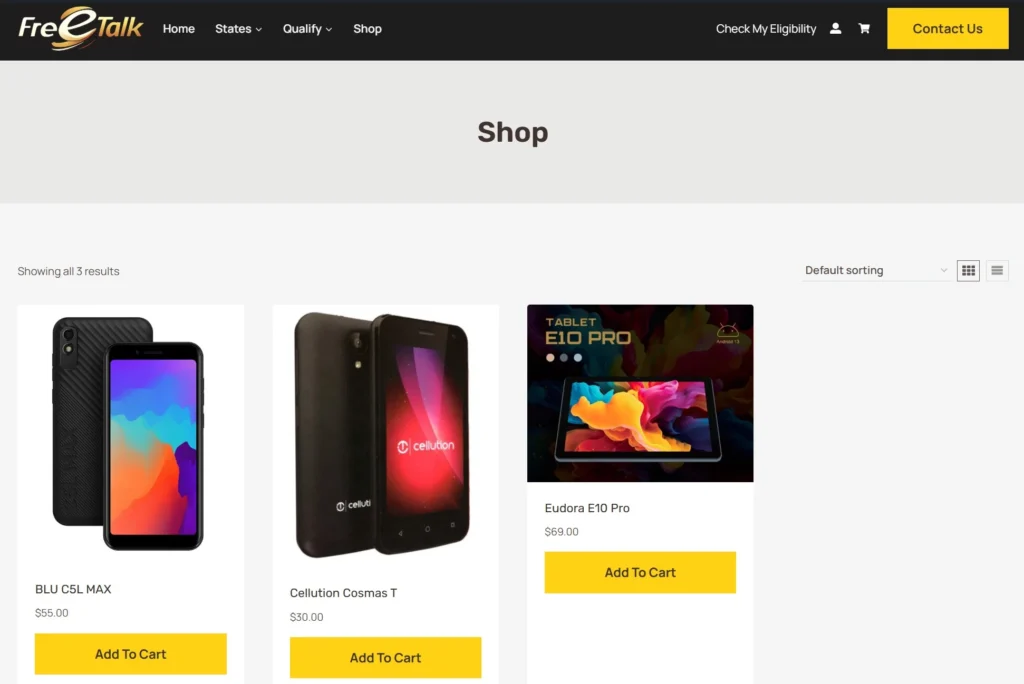
What iPhones Can You Get?
Available iPhones vary by location and inventory, but commonly include:
Free iPhone Models (When Available)
- iPhone 6 / 6s / 6 Plus
- iPhone 7 / 8
- iPhone SE
Discounted Upgrade Options
- iPhone 11
- iPhone 12 / 13
- iPhone 14 / 15
👉 Newer models (like iPhone 15+) are usually not free, but may be offered at reduced prices.
Step-by-Step: How to Apply with FreeTalk Wireless?
Getting your free iPhone is straightforward:
Step 1: Check Eligibility
Start with the National Verifier to confirm you qualify.
Step 2: Visit FreeTalk Wireless
Enter your ZIP code to see:
- Available plans
- Eligible devices
Step 3: Choose a Lifeline Plan
Select a plan that includes:
- Free talk & text
- Monthly data
- Device options
Step 4: Select Your iPhone
Browse available phones:
- Choose a free model OR
- Upgrade to a newer iPhone
Step 5: Upload Documents (If Needed)
You may need:
- Government-issued ID
- Proof of income or program participation
- Proof of address
Step 6: Submit Your Application
- Most approvals happen within minutes
- Some applications may take longer if reviewed manually
Step 7: Receive Your iPhone
- Free shipping (typically 3–7 days)
- Includes SIM card and setup instructions
Step 8: Activate Your Service
Activate using:
- Online instructions
- Customer support
Common Mistakes to Avoid
Many applicants face delays due to simple errors:
- Uploading unclear or expired documents
- Mismatched names between ID and application
- Incorrect ZIP code entry
- Applying multiple times (only one per household allowed)
Avoiding these issues can help you get approved faster.
Frequently Asked Questions
Is the iPhone really free?
Yes — if:
- You qualify for Lifeline
- A free model is available in your area
Otherwise, you may pay a small upgrade fee.
Can seniors or veterans apply?
Yes. Many qualify through:
- Medicaid
- SSI
- Veterans benefits
Can I get the latest iPhone for free?
No. Newer models (like iPhone 15 or newer) are usually discounted, not free.
How long does approval take?
- Instant to a few minutes (automatic verification)
- Up to a few days if documents are reviewed
Final Thoughts
If you’re trying to get a free iPhone through a legitimate program, the Lifeline program is the most reliable path. It provides essential communication services and, through providers like FreeTalk Wireless, may include access to free or discounted iPhones.
The process is simple:
- Check eligibility
- Apply through FreeTalk Wireless
- Choose your device
- Receive your phone
Because device availability changes frequently, it’s best to apply as soon as possible and secure the current offers in your area.